

If you’re building a website or web app that needs to detect users connecting through a VPN—whether to prevent fraud, enforce geo-restrictions, or flag suspicious traffic—you can do it in just a few lines of code using IPLocate. IPLocate provides accurate threat detection by IP address, including VPN and proxy detection.
Below are some simple examples using Javascript to detect VPN usage via the IPLocate API. All you need is to sign up for a free API key (no card needed, free up to 1,000 requests per day).
Example: Detect VPN client-side with Javascript
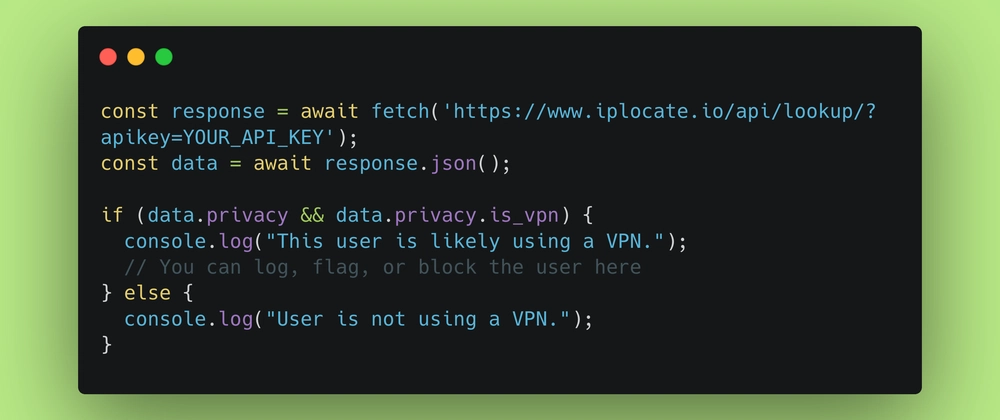
const response = await fetch('https://www.iplocate.io/api/lookup/?apikey=YOUR_API_KEY');
const data = await response.json();

if (data.privacy && data.privacy.is_vpn) {
  console.log("This user is likely using a VPN.");
  // You can log, flag, or block the user here
} else {
  console.log("User is not using a VPN.");
}
This fetches IP data for the current user and checks the privacy.is_vpn field—true means the IP is known to be part of a VPN network.
The response also includes other helpful fields like is_proxy, is_tor, and is_hosting, which you can use for additional filtering or analysis. See the API documentation for details on all available fields.
Example: Detect VPN server-side with Express.js
const express = require('express');
const fetch = require('node-fetch');

const app = express();
const API_KEY = 'YOUR_API_KEY';

app.get('/', async (req, res) => {
  const ip = req.headers['x-forwarded-for'] || req.connection.remoteAddress;
  const url = `https://www.iplocate.io/api/lookup/${ip}?apikey=${API_KEY}`;

  try {
    const response = await fetch(url);
    const data = await response.json();

    if (data.privacy && data.privacy.is_vpn) {
      console.log(`VPN detected for IP: ${ip}`);
      // Handle VPN logic here
    } else {
      console.log(`No VPN detected for IP: ${ip}`);
    }

    res.send('Request processed.');
  } catch (err) {
    console.error('Error checking VPN status:', err);
    res.status(500).send('Error checking IP address.');
  }
});

app.listen(3000, () => console.log('Server running on port 3000'));
You can find other code snippets — including Python, PHP, others, and IPLocate’s official client libraries — on their docs page.
Psst: I also recently wrote about which IP geolocation API is the best in 2025!


Top comments (10)
Is the request per user? So if you have 1000 users, you will use up the 1000 request for the day?
That's correct, but a couple of extra points:
A free API key gives you 1,000 requests a day. However, if you're using the API client-side, you could instead use the free tier without an API key. This has an even lower limit of 50 requests/day, BUT it is rate-limited by the IP address of your client rather than an API key. So each of your users can make 50 requests per day, which makes this effectively unlimited!
While IPLocate is one of the less expensive IP intelligence APIs, I would also recommend caching either client-side or server-side. Their own blog has a good example of client-side caching with LocalStorage here: iplocate.io/blog/redirect-user-bas...
My guess would be inclined to a yes, but if thats the case, you could probably do some sort of caching to avoid unecessary refetches.
Yes, typically it's one request per user action. So if you have 1000 users, and each triggers one request, you’ll use 1000 requests that day. Always check the specific API’s rate limit rules, but that's the general idea!
Looks like it's per request. You can cache the result in your database or somewhere to reduce the usage.
Solid intro. IPLocate is a great starting point.
One thing worth flagging for anyone scaling past a few hundred users a day. Most "free" IP intelligence APIs cap free-tier at 1k/day, which sounds like a lot until you realize a single returning user can trigger 5+ checks per session.
Two patterns that help:
Cache verdicts per IP for 5 minutes. Cuts upstream calls 100x. Redis or in-memory LRU works. The verdict rarely changes within 5 minutes (an IP that was a VPN exit at 14:00 is still a VPN exit at 14:04).
Treat Apple iCloud Private Relay and Cloudflare WARP as separate signals. Both are technically anonymizing but neither is a commercial VPN. Many iOS users have Private Relay on by default, and if you flag them like a Mullvad exit you'll bleed signups. Apple publishes the egress CSV at mask-api.icloud.com (~286k CIDRs), and Cloudflare WARP needs the IsProxy flag from ip-api to separate from generic Cloudflare CDN traffic on AS13335.
Other thing I'd add. If you want lower false-positive rate on commercial VPN exits, ingest the relay lists directly from the providers that publish them openly. Mullvad, PIA, IVPN, AirVPN, Surfshark, IPVanish, AzireVPN all expose unauthenticated APIs you can pull every 6-12 hours. Aggregator feeds typically lag the upstream by 24-48 hours, so direct ingestion is more current.
I built a free no-signup version that combines all of this at iplogs.com. Returns a verdict plus the named sources that matched per IP, which makes false-positive disputes a lot easier to handle ("this IP got flagged because it's on the X4BNet feed" beats "the API said vpn=true"). Works for IPv6 too. Free, no API key.
Disclosure that I built it. Sharing because the comments here on caching and rate limits hit close to home.
Could you give an example of a reason someone might want to do this?
Some comments may only be visible to logged-in visitors. Sign in to view all comments.