

Your Pipeline Is 26.4h Behind: Catching Climate Sentiment Leads with Pulsebit
We recently stumbled upon an intriguing anomaly: a 24h momentum spike of -0.477 in sentiment surrounding climate issues. This spike is particularly noteworthy as it reveals a significant gap in how we process multilingual data and the influence of dominant entities. In this case, English-language press led the charge with a 26.4-hour lag, highlighting an urgent need for more responsive data pipelines. The cluster story we identified is centered around the growing concerns over gray whale deaths in the Bay Area, which serves as a stark reminder of the intertwined nature of climate change and environmental sentiment.

English coverage led by 26.4 hours. Ca at T+26.4h. Confidence scores: English 0.85, Spanish 0.85, French 0.85 Source: Pulsebit /sentiment_by_lang.
As developers, we often face structural challenges when our models don’t account for multilingual origins or dominant entities. Your model missed this critical insight by a staggering 26.4 hours, as the leading language was English. This lag can have serious implications for decision-making processes, especially when timely sentiment analysis is key. If you’re trying to stay ahead of the curve in climate discourse, you can’t afford such delays.
To catch this anomaly, we can leverage our API to create a simple yet effective pipeline. The following Python code demonstrates how to filter by geographic origin, specifically targeting English-language content related to climate:

Geographic detection output for climate. India leads with 1 articles and sentiment +0.85. Source: Pulsebit /news_recent geographic fields.
import requests
# Define parameters for the API call
params = {
"topic": "climate",
"score": 0.700,
"confidence": 0.85,
"momentum": -0.477,
"lang": "en"
}
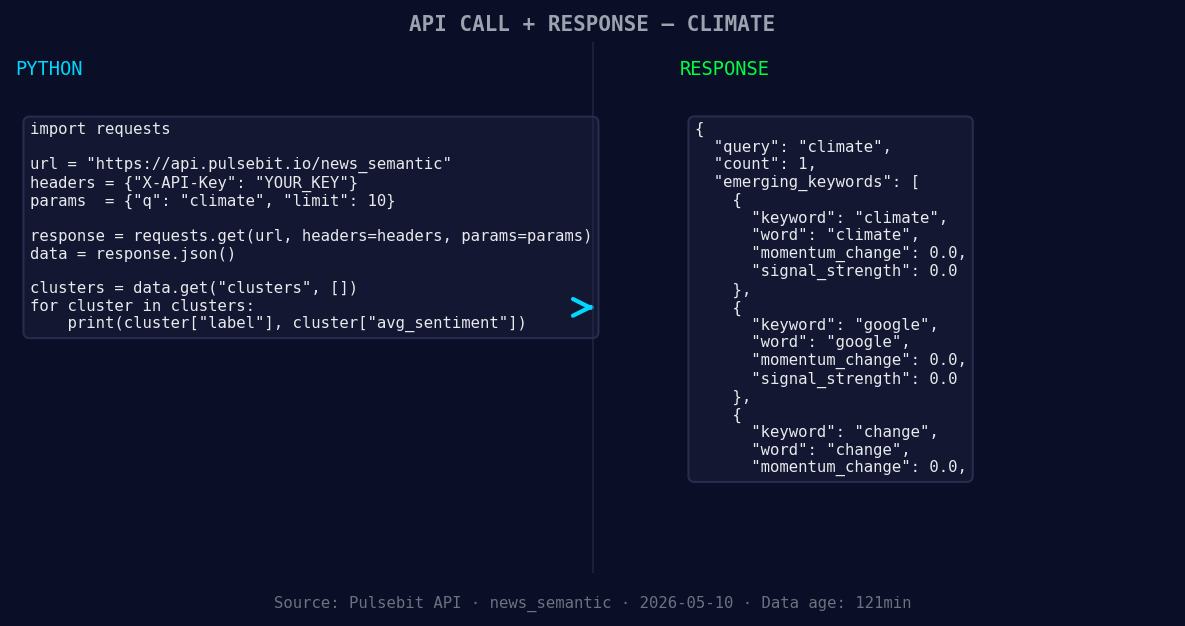
*Left: Python GET /news_semantic call for 'climate'. Right: returned JSON response structure (clusters: 3). Source: Pulsebit /news_semantic.*
# Make the API call
response = requests.get("https://api.pulsebit.com/v1/sentiment", params=params)
data = response.json()
print(data)
Next, we want to delve deeper into the narrative framing of this data. By running the cluster reason string through our sentiment API, we can assess how the language used in the media correlates with the overall sentiment. Here’s how to do that:
# Define the cluster reason string
cluster_reason = "Clustered by shared themes: grow, over, more, gray, whale."

# Make the POST request to score the narrative
response = requests.post("https://api.pulsebit.com/v1/sentiment", json={"input": cluster_reason})
meta_sentiment = response.json()

print(meta_sentiment)
From this analysis, we can build three specific insights that we can use to enhance our sentiment detection pipeline.
Geo-Filtered Signal: Use the English language filter to catch emerging climate-related discussions. Set a threshold for momentum spikes, say -0.5, to trigger alerts when sentiment rapidly declines. This will help you catch sentiment shifts early.
Meta-Sentiment Loop: Incorporate a continuous feedback loop where you score the narrative around clustered themes. For instance, track the sentiment of phrases like “grow,” “more,” and “over” in relation to climate and assess how they affect overall sentiment.
Forming Gap Analysis: Monitor for forming gaps like the one we identified with “climate,” “google,” and “change” versus mainstream narratives. Set a specific threshold for sentiment scores (e.g., +0.5) to determine when to investigate deeper into the emerging narratives.
These builds can help you not only catch anomalies but also refine your understanding of sentiment dynamics in climate discussions. You can start implementing these strategies by visiting our documentation at pulsebit.lojenterprise.com/docs. With just a few API calls, you can set up this analysis in under 10 minutes. Don't let your pipeline lag behind; stay proactive in capturing sentiment shifts!


Top comments (0)